
Spectra S1 Instruction Manual: A Comprehensive Guide
Welcome! This comprehensive guide details the Spectra S1 breast pump, offering downloadable manuals in PDF format for convenient access and optimal usage․
Explore detailed instructions, safety precautions, and troubleshooting tips to maximize your pumping experience with the Spectra S1, updated for 2018 and beyond․
The Spectra S1 is a hospital-grade, double electric breast pump designed to efficiently and comfortably express breast milk․ It features a closed system, ensuring hygiene and preventing backflow into the tubing and motor․
This pump is ideal for mothers seeking a reliable and powerful solution for establishing or maintaining their milk supply․ The Spectra S1 boasts a built-in rechargeable battery, offering portability and convenience for pumping on the go․
Its advanced technology includes adjustable suction levels and cycle modes, allowing for personalized comfort and optimal milk expression․ This manual provides comprehensive instructions to help you understand and effectively utilize all the features of your Spectra S1 breast pump․
Unboxing and Component Identification

Upon opening your Spectra S1 package, carefully verify all components are present․ You should find the pump motor with integrated battery, two breast shields (flanges – size may vary), two collection bottles with caps and valves, a tubing set, a power adapter, and this user manual․
Inspect each item for any damage․ The breast shields should be smooth and free of cracks․ Ensure the collection bottles are clear and the valves are flexible․ The tubing connects the breast shields to the pump motor․
Familiarize yourself with each part before assembly․ Proper identification of components is crucial for correct setup and efficient operation of your Spectra S1 breast pump․
Safety Precautions and Warnings
Important Safety Information: Always read this manual thoroughly before using the Spectra S1․ This device is intended for single-user operation only; sharing poses a hygiene risk․ Do not use the pump if any components are damaged․
Ensure the power adapter is compatible with your local voltage․ Never operate the pump near water․ Discontinue use if you experience discomfort or pain․ Keep the pump and accessories out of reach of children․
Regularly inspect all parts for wear and tear․ Do not attempt to disassemble or repair the pump motor yourself․ Follow cleaning and sterilization instructions diligently to prevent bacterial growth․
Understanding the Control Panel
The Spectra S1 features an intuitive control panel for personalized pumping․ The power button initiates or terminates operation․ Utilize the “+” and “-” buttons to precisely adjust suction levels, finding your optimal comfort and efficiency․
Cycle mode selection allows you to switch between Stimulation and Expression modes, catering to different phases of milk production․ The LCD display clearly indicates the current settings, including suction level and mode․ Familiarize yourself with these controls to customize each pumping session․
Proper adjustment ensures effective milk removal and maximizes comfort during use․
Powering On/Off the Spectra S1

Powering on the Spectra S1 is straightforward: simply press the power button located on the control panel․ The LCD display will illuminate, indicating the pump is active․ To power off, press and hold the same power button for a few seconds until the display turns off․
Ensure the pump is fully charged or connected to a power source before initiating a pumping session․ The built-in rechargeable battery offers portability, but avoid overnight charging to prolong its lifespan․ A quick press confirms operation, while a hold initiates shutdown․
Adjusting Suction Levels
Adjusting suction on the Spectra S1 is crucial for comfort and effective milk expression․ Utilize the “+” and “-” buttons on the control panel to increase or decrease suction levels․ Begin with the lowest setting and gradually increase until you find a comfortable yet effective level․
Pay attention to your body’s signals; discomfort indicates the suction is too high․ The Spectra S1 offers a wide range of levels, allowing for personalized settings․ Remember, optimal suction varies for each individual, so experimentation is key to maximizing output and minimizing discomfort during each pumping session․
Cycle Mode Selection
The Spectra S1 offers distinct cycle modes to mimic a baby’s natural nursing pattern․ Select between Stimulation Mode, designed to initiate let-down, and Expression Mode for efficient milk removal․ Transitioning between modes is simple using the dedicated “Mode” button on the control panel․
Stimulation Mode features faster, lighter suction, while Expression Mode provides a stronger, more consistent pull․ Experiment with both to determine what works best for your body․ The Spectra S1 allows you to customize the cycle speed within each mode, further personalizing your pumping experience for optimal comfort and output․
Setting Up the Spectra S1 for First Use
Before your initial use, thoroughly review this manual․ Ensure all components are present and undamaged․ Fully charge the Spectra S1’s internal battery – avoid overnight charging, as 2-3 hours provides a 3-hour pumping capacity․ Familiarize yourself with the control panel and its functions․
Carefully read all instructions before operation․ Proper setup is crucial for effective and comfortable pumping․ Confirm you’ve selected the correct flange size for optimal fit and milk expression․ A proper seal is essential for maximizing efficiency and preventing discomfort․ Begin with gentle settings and adjust as needed․
Assembling the Breast Pump Kit
Begin by connecting the silicone tubing securely to both the pump unit and the breastshield assembly․ Ensure a snug fit to maintain optimal suction․ Attach the collection container to the breastshield, verifying it’s properly aligned and sealed to prevent leaks․
The diaphragm should be correctly positioned within the pump motor unit․ Double-check all connections before initiating a pumping session․ Refer to the manual’s diagrams for visual guidance․ Proper assembly is vital for hygienic milk expression and efficient pump performance․ Regularly inspect components for wear and tear․

Proper Flange Selection and Fit
Correct flange size is crucial for comfort and efficient milk removal․ Measure your nipple diameter to determine the appropriate size; the Spectra S1 kit often includes multiple sizes․ A properly fitted flange creates a seal without excessive pinching or slipping during pumping․
Observe your nipples during pumping – they should move freely within the flange tunnel without rubbing․ If experiencing discomfort or pain, try a different flange size․ Ill-fitting flanges can lead to reduced milk output and nipple damage․ Consult the manual or a lactation consultant for personalized guidance on achieving an optimal fit․
Using the Spectra S1: Step-by-Step Instructions
Begin by ensuring the Spectra S1 is charged and assembled correctly․ Power on the device and select your desired mode – Stimulation or Expression․ Start with a low suction level and gradually increase it to a comfortable intensity․
Center your nipple within the flange and initiate the pumping session․ The Spectra S1 offers customizable cycle speeds․ Monitor your comfort and adjust settings as needed․ Pumping sessions typically last 15-30 minutes per breast․ Refer to the manual for detailed guidance on optimizing your pumping routine․
Initiating Pumping Sessions
Before starting, ensure proper flange fit and pump assembly․ Power on the Spectra S1 and select either Stimulation Mode to initiate let-down or Expression Mode for efficient milk removal․ Begin with the lowest suction level and gradually increase it until comfortable․
Position yourself comfortably and center your nipple within the flange․ Initiate the cycle and observe your body’s response․ Adjust suction and cycle speed as needed throughout the session․ A typical session lasts 15-30 minutes per breast, but personalize based on your needs․
Stimulation Mode vs․ Expression Mode
Stimulation Mode on the Spectra S1 mimics a baby’s initial nursing pattern – fast cycles with lower suction․ This encourages let-down, triggering milk flow․ Once you experience drops, seamlessly transition to Expression Mode․
Expression Mode provides slower cycles and adjustable suction for efficient milk extraction․ It’s designed for sustained pumping after let-down has been achieved․ The Spectra S1 allows you to customize both modes to your comfort and milk supply needs․ Experiment to find the settings that work best for you!
Cleaning and Sterilization Procedures
Maintaining hygiene is crucial with your Spectra S1․ After each use, disassemble pump parts and wash them with warm, soapy water․ Rinse thoroughly․ For daily cleaning, focus on the breastshield, valve, and tubing․
Regular sterilization is also vital, especially for newborns or those with compromised immune systems․ Options include boiling for five minutes, using a steam sterilizer, or microwave sterilization bags․ Ensure parts are completely dry before reassembling․ Proper cleaning prevents bacterial growth and ensures safe milk collection․
Daily Cleaning of Pump Parts
Consistent daily cleaning is essential for a hygienic pumping experience with your Spectra S1․ Immediately after each pumping session, disassemble all parts that come into contact with breast milk – the breastshield, valve, membrane, connectors, and bottle․
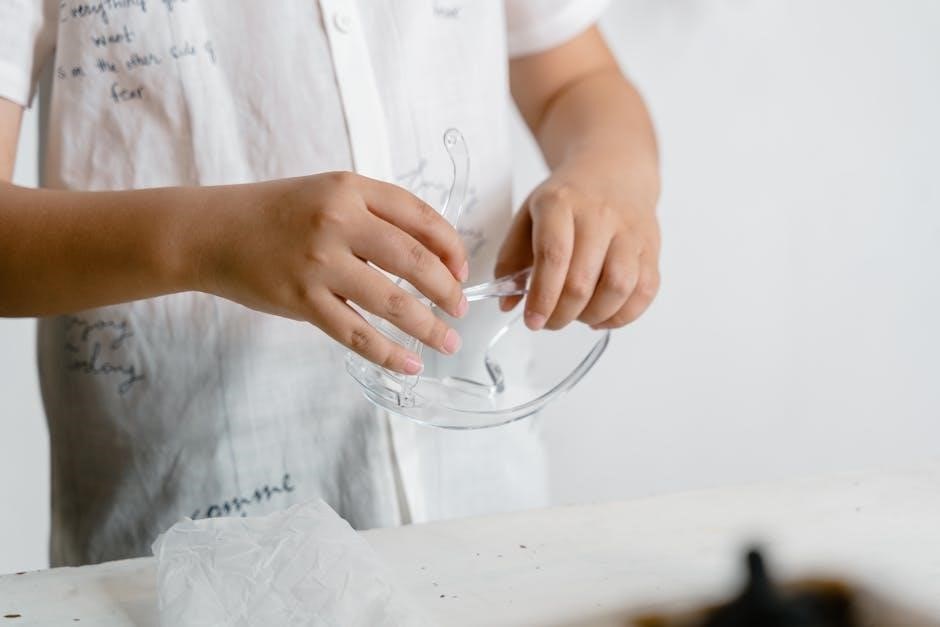
Wash these components thoroughly with warm, soapy water․ Pay close attention to small parts, ensuring all milk residue is removed․ Rinse completely under running water, and allow to air dry on a clean surface․ This prevents bacterial buildup and maintains milk quality․
Regular Sterilization Methods
Periodic sterilization of your Spectra S1 pump parts is crucial, especially for newborns or infants with compromised immune systems; Several methods are effective․ Boiling is a common option: submerge parts in boiling water for five minutes․ Alternatively, utilize a steam sterilizer designed for baby bottles and pump parts, following the manufacturer’s instructions carefully․
Microwave steam sterilizer bags are also convenient․ Ensure all parts are thoroughly dried after sterilization․ Sterilize components at least once daily, or more frequently if recommended by your healthcare provider, maintaining optimal hygiene for safe milk expression․
Battery Charging and Maintenance
Maintaining your Spectra S1’s battery ensures reliable performance․ Avoid overnight charging; 2-3 hours provide approximately 3 hours of pumping time․ Frequent, full discharges aren’t necessary with lithium-ion batteries – partial charges are acceptable․
To extend battery life, store the pump in a cool, dry place when not in use․ Avoid extreme temperatures․ If the pump will be stored for an extended period, charge it to around 50% before storage․ Regularly check the battery indicator on the LCD display to monitor charge levels and plan accordingly for uninterrupted pumping sessions․
Optimal Charging Practices
For the Spectra S1 with its built-in battery, prioritize efficient charging․ Avoid leaving the pump plugged in overnight, as this can degrade battery health over time․ A charge duration of 2-3 hours is typically sufficient to achieve a full charge and provide up to 3 hours of pumping power․
Utilize the provided charging cable and adapter․ Disconnect the pump once fully charged․ Consistent adherence to these practices will maximize the lifespan and performance of your Spectra S1’s battery, ensuring reliable operation whenever you need it․

Extending Battery Life
To maximize the longevity of your Spectra S1’s battery, implement these simple strategies․ Avoid completely draining the battery before recharging; instead, aim to recharge when it reaches a low level․ Store the pump in a cool, dry place when not in use, away from extreme temperatures․
Minimize prolonged periods of storage with a fully charged or fully depleted battery․ Regular, partial charging cycles are more beneficial than infrequent, full cycles․ Following these guidelines will help maintain optimal battery performance and ensure your Spectra S1 remains reliable for extended use․
Troubleshooting Common Issues
Encountering problems with your Spectra S1? Low suction is a frequent concern; ensure proper flange size and a secure connection to the tubing․ Check for blockages in the tubing or membrane․ If the pump isn’t powering on, verify the battery is charged or the power adapter is correctly connected․

Confirm the unit is switched on and the power button is engaged․ Inspect the charging port for any debris․ Refer to the manual for detailed diagrams and further assistance․ Persistent issues may require contacting customer support for professional guidance and potential repair options․
Low Suction Problems
Experiencing reduced suction with your Spectra S1? First, verify the breast milk collection bottle is correctly assembled and sealed, preventing air leaks․ Ensure the tubing is securely connected to both the pump motor and the breast flange․ Check the flange for proper size; an incorrect fit significantly impacts suction․
Inspect the membrane for tears or damage, as this component is crucial for generating suction․ Clear any potential blockages within the tubing․ If the problem persists, try a different outlet to rule out power supply issues․ Consult the manual for detailed diagrams and troubleshooting steps․
Pump Not Powering On
If your Spectra S1 fails to power on, first confirm the power adapter is firmly plugged into both the pump and a functioning electrical outlet․ Verify the battery is adequately charged; a full charge typically provides around three hours of pumping time․ Avoid overnight charging, as it can potentially reduce battery lifespan․
Check the power button is fully engaged․ If using battery power, ensure it’s properly inserted․ Inspect the charging cable for any visible damage․ Consult the user manual for specific troubleshooting guidance related to power issues and battery maintenance․ Contact customer support if problems continue․
Understanding the LCD Display
The Spectra S1’s LCD display provides crucial information during operation․ It clearly shows the current suction level, ranging from low to high, allowing precise adjustment for comfort and efficiency․ The display also indicates the selected cycle mode – Stimulation or Expression – with corresponding icons․ Battery life is visually represented, alerting you to charging needs․
Additionally, the LCD screen displays the pumping time elapsed, helping you track session duration․ Understanding these indicators ensures optimal pump control and monitoring of your pumping progress․ Refer to the user manual for detailed explanations of each symbol and function displayed on the screen․
Traveling with Your Spectra S1
The Spectra S1 is designed with portability in mind, making it ideal for travel․ Ensure the pump is fully charged before departure, providing up to three hours of pumping time on a single charge․ Pack the pump securely in a dedicated bag, protecting it from damage during transit․ Consider bringing an extra battery or power adapter for extended trips․
Remember to comply with TSA regulations regarding liquids and breast milk․ Familiarize yourself with guidelines for transporting breast milk through airport security․ A travel bag specifically designed for breast pumps can streamline the process and keep all components organized and accessible․
Replacement Parts and Accessories
Maintaining your Spectra S1 requires periodic replacement of parts to ensure optimal performance and hygiene․ Essential replacements include the breast shields (flanges), valves, and diaphragms, which should be changed monthly or as needed․ Backflow protectors are also crucial for preventing milk from entering the tubing․
Accessories like extra bottles, cooler bags, and carrying cases enhance convenience․ Genuine Spectra replacement parts are recommended to guarantee compatibility and maintain warranty validity․ Authorized retailers and the Spectra Baby website offer a wide selection of parts and accessories for your S1 pump․
Spectra S1 Plus vs․ Standard S1: Key Differences
The Spectra S1 Plus builds upon the foundation of the standard S1, offering enhanced features for a more comfortable and efficient pumping experience․ A primary difference lies in the S1 Plus’s ability to address nipple inversion, utilizing a specialized mode to gently draw out nipples․
Additionally, the S1 Plus often includes a more refined LCD display and potentially updated programming for stimulation and expression modes․ While both models share core functionality and reliability, the Plus version provides added versatility, particularly for mothers experiencing nipple challenges․
Downloading the Spectra S1 Manual (PDF)
Accessing your Spectra S1 manual is simple and convenient! Spectra provides readily available PDF versions of the user manual directly on their website, ensuring you have immediate access to crucial information․
Downloading the manual allows you to have it on your smartphone or tablet while pumping, or easily print a physical copy for quick reference․ These downloadable manuals cover everything from initial setup and operation to cleaning, troubleshooting, and warranty details․ Find links for both the standard S1 and S1 Plus models for easy access to the most up-to-date instructions․
Warranty Information and Customer Support
Spectra stands behind the quality of the S1 breast pump with a comprehensive warranty, protecting against manufacturing defects․ Details regarding the warranty period and coverage can be found within the official Spectra S1 user manual․
Should you encounter any issues or have questions not addressed in the manual, Spectra offers dedicated customer support channels․ These include online resources, frequently asked questions, and direct contact options via phone or email․ Prompt and helpful assistance is available to ensure a positive pumping experience and resolve any concerns efficiently․
Using the Spectra S1 for Nipple Inversion
The Spectra S1 breast pump can be effectively utilized to gently draw out flat or inverted nipples, facilitating easier latching for a nursing baby․ Begin with the stimulation mode at the lowest suction level, gradually increasing as tolerated․
Consistent, gentle pumping can help encourage nipple projection over time․ It’s crucial to prioritize comfort and avoid excessive suction, which could cause discomfort or damage․ Consult with a lactation consultant for personalized guidance and to determine the most appropriate pumping schedule and settings for your specific needs․
Tips for Maximizing Milk Output
To optimize your milk expression with the Spectra S1, ensure proper flange fit – a comfortable, yet secure seal is vital․ Begin each session with stimulation mode to initiate let-down, then transition to expression mode․
Hydrate well and consider power pumping techniques (pumping for 20 minutes, resting for 10, repeating) to signal increased milk production․ Relaxation is key; listen to calming music or practice deep breathing․ Consistent pumping schedules, even during periods of low output, are beneficial․ Remember to consult a lactation consultant for personalized advice․

Frequently Asked Questions (FAQ)
Q: How long should I charge the Spectra S1 battery? A: Avoid overnight charging; 2-3 hours provides approximately 3 hours of pumping time․ Q: Where can I find the Spectra S1 manual? A: Download the PDF version from the Spectra Baby website for convenient access on your phone or for printing․
Q: Can the Spectra S1 help with flat nipples? A: Yes, it can gently draw out nipples to aid latch․ Q: What if my pump isn’t turning on? A: Ensure it’s charged and the power button is firmly pressed․ Contact customer support if issues persist․