
Frida 3-in-1 Thermometer Manual: A Comprehensive Guide
This manual provides detailed instructions for using the Frida 3-in-1 Thermometer, ensuring accurate temperature readings and safe operation for your family’s health.
Welcome to a new standard in family healthcare! The Frida 3-in-1 Thermometer is designed to provide quick, accurate, and convenient temperature readings for the whole family. This versatile thermometer offers three measurement modes – temporal artery (forehead), rectal, and axillary (armpit) – allowing you to choose the most comfortable and appropriate method for each situation.
Understanding your child’s temperature is crucial for early detection of illness, and this thermometer simplifies the process. It’s built with advanced technology to deliver reliable results, helping you make informed decisions about your loved one’s well-being. This manual will guide you through each feature, ensuring confident and effective use.

What’s Included in the Box?
Before you begin, please verify that all components are present. Your Frida 3-in-1 Thermometer package should contain the following items: one (1) Frida 3-in-1 Thermometer unit, one (1) protective lens cover, and one (1) CR2032 button cell battery (pre-installed).

Additionally, you will find this comprehensive user manual providing detailed instructions for optimal use and care. Carefully inspect all items for any signs of damage. If any components are missing or appear damaged, please contact Frida customer support immediately for assistance. Retain the original packaging for potential returns or warranty claims.
Understanding the Three Measurement Modes
The Frida 3-in-1 Thermometer offers versatility with three distinct measurement modes: Temporal Artery (forehead), Rectal, and Axillary (armpit). Each mode is designed for specific age groups and situations, providing accurate readings when used correctly. Temporal Artery mode is quick and non-invasive, ideal for all ages.
Rectal mode is considered the most accurate, particularly for infants and young children. Axillary mode offers a comfortable, though less precise, option. Understanding the strengths of each mode allows you to select the most appropriate method for obtaining a reliable temperature reading.
Temporal Artery (Forehead) Mode
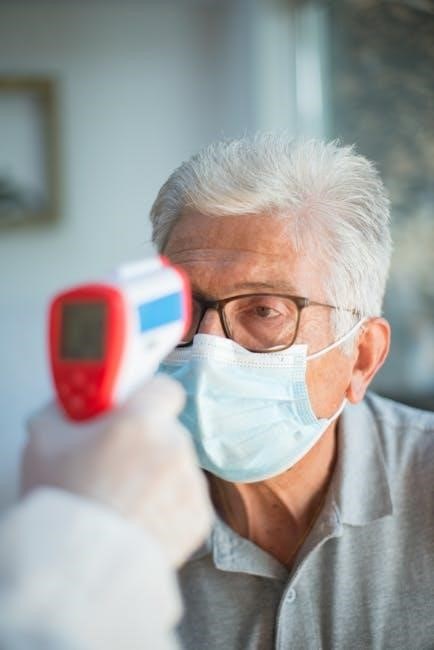
The Temporal Artery mode utilizes an infrared sensor to measure temperature via the forehead artery. This method is swift, non-invasive, and suitable for all ages, making it a convenient choice for routine temperature checks. Ensure the forehead is free from sweat, hair, or obstructions for optimal accuracy.
Gently glide the thermometer across the forehead, maintaining contact with the skin. The device quickly displays the temperature reading. This mode is particularly useful for sleeping babies or wiggly toddlers, minimizing disturbance and providing a quick result.
Rectal Mode
The Rectal mode provides the most accurate temperature reading, especially for infants and young children. However, it requires careful technique and adherence to safety guidelines. Always use a lubricant, such as petroleum jelly, to ease insertion and minimize discomfort. Gently insert the thermometer tip no more than ½ to 1 inch into the rectum.
Hold the thermometer securely during measurement. This method is considered the gold standard for accuracy, particularly in young children where other methods may be less reliable. Proper hygiene is crucial; clean the thermometer thoroughly after each use.

Axillary (Armpit) Mode
The Axillary mode offers a non-invasive way to measure temperature, suitable for all ages, but generally less accurate than rectal or temporal artery methods. Ensure the armpit is dry before placement. Position the thermometer tip firmly in the center of the armpit, and have the individual close their arm tightly against their body to maintain contact.
Hold the arm securely throughout the measurement process. This method requires a longer measurement time to achieve a stable reading. It’s best used as a screening tool and confirmed with another method if a fever is suspected.
Preparing the Thermometer for Use
Before each use, visually inspect the Frida 3-in-1 Thermometer for any signs of damage, such as cracks or a broken probe. Ensure the battery is properly installed and has sufficient charge for accurate readings. Clean the thermometer tip with a soft cloth and an approved cleaning solution (refer to the Cleaning and Disinfection section).
Familiarize yourself with the button functions and display indicators. Select the desired measurement mode – temporal artery, rectal, or axillary – before beginning. Proper preparation ensures reliable temperature measurements and maintains hygiene.
Taking a Temporal Artery Temperature
To obtain an accurate temporal artery reading, gently glide the thermometer across the forehead, starting at the hairline and moving towards the temple. Maintain consistent contact with the skin throughout the scan, ensuring the sensor is firmly pressed against the artery. Avoid any obstructions like hair, sweat, or lotions that could interfere with the reading.
The scan should be smooth and continuous; do not lift or reposition the thermometer mid-scan. A successful scan is indicated by a completion signal – a beep or display confirmation.
Proper Scanning Technique
For optimal results with the Frida 3-in-1 thermometer’s temporal mode, ensure a smooth, consistent scanning motion. Begin at the center of the forehead, maintaining firm contact with the skin. Glide the thermometer directly across the forehead towards the temple, avoiding hair or any skin obstructions.
The speed of the scan is crucial; move at a moderate pace, neither too fast nor too slow. A complete scan takes only a few seconds, and the device will signal completion with a beep. Repeat the scan if unsure of initial results.
Reading the Temporal Artery Temperature
After completing the scan, the Frida 3-in-1 thermometer will display the temperature reading on the LCD screen within seconds. The temperature is shown in Fahrenheit or Celsius, depending on your selected setting. Ensure the display is clear and stable before recording the reading.
Pay attention to the color-coded fever indicators, which provide a quick visual assessment of the temperature level. Refer to the manual’s fever chart to interpret the reading accurately based on age. A stable reading confirms a reliable measurement.
Taking a Rectal Temperature
Rectal temperatures are considered the most accurate, especially for infants and young children. Before proceeding, apply a water-based lubricant generously to the thermometer tip. Gently insert the thermometer no more than ½ to 1 inch into the rectum.
Hold the thermometer securely in place until the audible beep signals completion – typically around 8-10 seconds. Avoid excessive force or movement during measurement. Always prioritize comfort and safety when taking a rectal temperature, and clean the thermometer thoroughly afterward.
Lubrication and Insertion Safety
Proper lubrication is crucial for a comfortable and accurate rectal temperature reading. Always use a water-based lubricant; avoid oil-based products as they can damage the thermometer. Apply a generous amount to the thermometer tip before insertion.
Insert the thermometer gently and slowly, no more than ½ to 1 inch for infants and young children. Never force the thermometer. Securely hold it during measurement. Post-use, thoroughly clean and disinfect the thermometer to prevent infection. Prioritize gentle handling and hygiene for a safe experience.
Reading the Rectal Temperature
Once inserted, hold the Frida thermometer steadily until the audible beep signals completion – typically around 10-15 seconds. The temperature will then be displayed on the screen. Rectal temperatures are generally 0.5 to 1 degree Fahrenheit (0.3 to 0.6 degrees Celsius) higher than oral temperatures.
Carefully remove the thermometer and clean it thoroughly after each use. Note the reading and compare it to normal temperature ranges for your child’s age. Consult a healthcare professional if you have concerns about the reading or your child’s health.
Taking an Axillary Temperature
To obtain an accurate axillary reading, ensure the armpit is dry. Place the Frida thermometer’s sensor firmly into the center of the armpit, ensuring good skin contact. Gently close the arm against the body to hold the thermometer securely in place.
Hold still during the measurement process, which usually takes around 20-30 seconds until the beep sounds. Axillary temperatures are generally 0.5 to 1 degree Fahrenheit lower than oral temperatures. This method is less precise, so consider other methods for critical measurements.
Proper Armpit Placement
Achieving accurate results with the axillary method hinges on correct placement. Begin by ensuring the armpit is completely dry; moisture interferes with readings. Center the thermometer’s probe firmly within the armpit, making direct contact with the skin – clothing must be avoided.
Gently, but securely, instruct the person to keep their arm pressed against their side. This maintains consistent contact throughout the measurement. Avoid excessive movement, as this can affect accuracy. A stable position is crucial for a reliable temperature assessment using this method.
Reading the Axillary Temperature
After the thermometer beeps, carefully remove it from the armpit. Observe the displayed temperature reading on the screen; it will be shown in Fahrenheit or Celsius, depending on your settings. Remember that axillary temperatures are generally about 0.5 to 1 degree Fahrenheit (0.3 to 0.6 degrees Celsius) lower than oral temperatures.
Consider this difference when interpreting the results, especially when assessing for fever. Record the temperature and time for future reference. Consistent monitoring helps track temperature changes and informs healthcare decisions. Always consult a doctor if you have concerns.
Understanding the Fever Indicators
The Frida 3-in-1 Thermometer utilizes both visual and audible cues to indicate a potential fever. A color-coded display provides a quick assessment: green signifies a normal temperature, yellow indicates a low-grade fever, and red signals a high fever. These colors offer an immediate visual reference for temperature status.
Additionally, the thermometer emits distinct beep sounds. The number and speed of beeps correlate with the fever level, providing an auditory alert. Understanding these indicators allows for prompt action and informed decisions regarding your child’s health and potential medical attention.
Color-Coded Fever Alerts
The Frida thermometer’s display features a simple, intuitive color-coding system for quick fever assessment. A green display indicates a normal temperature, generally below 100.4°F (38°C), offering reassurance. A yellow display signals a low-grade fever, typically between 100.4°F and 102.2°F (38°C and 39°C), suggesting monitoring.
A red display signifies a high fever, exceeding 102.2°F (39°C), prompting consideration of medical advice. This visual system allows for rapid identification of temperature status, aiding in timely care decisions and minimizing uncertainty during illness. Always confirm with clinical judgement.
Audible Beep Signals
The Frida 3-in-1 Thermometer utilizes distinct beep signals to indicate measurement completion and fever status. A single, short beep confirms a successful temperature reading has been obtained, signaling you can view the result on the display. Multiple, rapid beeps indicate an elevated temperature, alerting you to a potential fever without needing to immediately check the color-coded display.
The number and pattern of beeps can vary depending on the severity of the fever. Refer to the full manual for specific beep code interpretations, ensuring accurate and prompt response to your child’s health needs.
Memory Function and Recall
The Frida 3-in-1 Thermometer conveniently stores up to 30 previous temperature readings, allowing you to track fever progression and share data with healthcare professionals. To access the memory function, press the “Memory” button located on the thermometer’s body. Each press will cycle through the stored readings, displaying the previous temperature and its corresponding mode (temporal, rectal, or axillary).
This feature is invaluable for monitoring trends and providing a comprehensive overview of your child’s temperature history, aiding in informed healthcare decisions and effective treatment.
Cleaning and Disinfection
Maintaining hygiene is crucial when using a thermometer, especially with multiple family members. After each use, clean the Frida 3-in-1 Thermometer’s probe with a soft cloth lightly dampened with isopropyl alcohol (70% concentration). Avoid harsh chemicals or abrasive cleaners, as they may damage the device.
Ensure the alcohol has fully evaporated before storing. Regularly disinfect the thermometer to prevent the spread of germs, particularly during illness. Proper cleaning extends the lifespan of your thermometer and ensures accurate readings.
Recommended Cleaning Solutions

For optimal hygiene and to prevent damage to your Frida 3-in-1 Thermometer, specific cleaning solutions are recommended. Isopropyl alcohol (70% concentration) is the most effective and safest option for disinfecting the probe after each use. Alternatively, a mild soap and water solution can be used, followed by thorough drying.
Avoid using bleach, strong detergents, or abrasive cleaners, as these can corrode the sensor or damage the device’s casing. Always ensure no liquid enters the battery compartment. Following these guidelines will maintain accuracy and prolong the thermometer’s life.

Proper Drying Procedures
Thorough drying is crucial after cleaning your Frida 3-in-1 Thermometer to prevent malfunction and ensure accurate readings. After using isopropyl alcohol or a soap-water solution, gently wipe the probe and the thermometer body with a clean, lint-free cloth.
Allow the thermometer to air dry completely before storing or using it again. Ensure no moisture remains in any crevices or around the sensor. Avoid using a hairdryer or direct heat, as this could damage the device. Proper drying maintains hygiene and extends the thermometer’s lifespan.
Battery Installation and Replacement
The Frida 3-in-1 Thermometer requires batteries for operation. To install, locate the battery compartment, usually on the back or side of the device. Insert the batteries, paying close attention to the polarity markings (+ and -) inside the compartment. Ensure the batteries are securely in place.
When the display indicates low battery, replace all batteries simultaneously with new ones of the same type. Dispose of used batteries responsibly, following local regulations. Incorrect battery installation can damage the thermometer.
Troubleshooting Common Issues
If you encounter problems with your Frida 3-in-1 Thermometer, review these troubleshooting steps. For inaccurate readings, ensure proper scanning technique and that the thermometer is clean. If the display shows errors, try resetting the device by removing and reinserting the batteries.
If issues persist, consult the full manual or contact Frida customer support. Avoid disassembling the thermometer, as this voids the warranty. Always prioritize safety and accurate temperature measurement for reliable health monitoring.
Inaccurate Readings
Several factors can contribute to inaccurate temperature readings with the Frida 3-in-1 Thermometer. Ensure proper technique is used for each mode – temporal, rectal, or axillary. Skin temperature can affect temporal readings; ensure a sweat-free forehead. For rectal readings, insufficient lubrication or improper insertion depth can cause inaccuracies.
Confirm the thermometer is clean and the batteries are fresh. External interference or a damaged sensor may also lead to incorrect results. If problems continue, contact Frida support for assistance and further troubleshooting.
Display Errors
If the Frida 3-in-1 Thermometer displays an error message, first attempt to replace the batteries with fresh ones. Low battery power is a common cause of display malfunctions. If the error persists, try resetting the device by removing and reinserting the batteries. A consistently blank or garbled display suggests a potential internal issue;
Avoid exposing the thermometer to extreme temperatures or moisture, as this can damage the LCD screen. If the display remains faulty after these steps, contact Frida customer support for guidance and possible replacement options.
Safety Precautions and Warnings
Always supervise children when they are near the thermometer. Do not allow children to play with the device, as small parts could pose a choking hazard. Never use the thermometer if it appears damaged, including a cracked lens or broken casing. Avoid dropping the thermometer, as this can affect its accuracy.
Do not attempt to disassemble or repair the thermometer yourself. This will void the warranty and could create a safety risk. Keep the thermometer away from extreme temperatures and direct sunlight. Store it in a safe, dry place when not in use.

Warranty Information and Customer Support
FridaBaby offers a one-year limited warranty against defects in materials and workmanship from the date of purchase. This warranty does not cover damage resulting from misuse, accidents, or unauthorized repairs. To initiate a warranty claim, please retain your proof of purchase and contact Frida Customer Support.
For assistance with product usage, troubleshooting, or warranty inquiries, visit our website at FridaBaby.com/support. You can also reach our dedicated customer care team via email at support@fridababy.com or by phone at 1-800-FRIDA-BABY. We are committed to providing excellent support!

Frequently Asked Questions (FAQ)
Q: Can I use this thermometer on a newborn? A: Yes, the Frida 3-in-1 Thermometer is safe for newborns, but rectal temperature is generally recommended for infants under three months.
Q: How often should I replace the batteries? A: Battery life depends on usage, but typically lasts several months. The display will indicate low battery.
Q: Is the thermometer waterproof? A: The thermometer is splash-resistant, but not fully waterproof. Avoid full submersion.
Q: What does the error message “Err” mean? A: This indicates a sensor error; contact customer support.